
Understand the screen · Guide 9 of 13
Produced quantity colors
How the hourly target quantity in Shift View is calculated and why the produced quantity is shown in green, yellow or red.
On this page
The quantities column in Shift View indicates the actual produced good or total quantity (depends on the user's preference in view settings) vs the target quantity of the product.
How is target calculated?
In case of stops that are excluded from OEE calculation (e.g., Lunch), planned production time is reduced, reducing the target. Stops that are included in the OEE calculation do not reduce planned production time, and therefore the target is not reduced.
How are colors applied?
The coloring is based on the OEE targets that have been set in station settings.
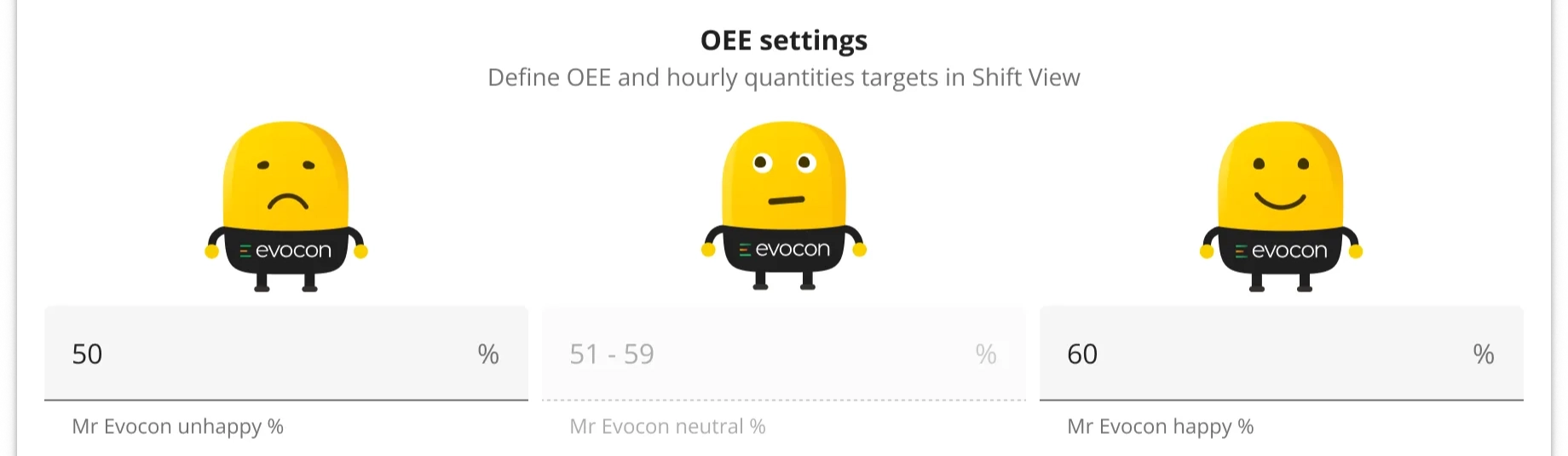
Different colors indicate how production is performing against your OEE targets for that station:
- If the hourly OEE is more or equal to happy (high) target, then the produced quantity is shown is green.
- If the hourly OEE is between low and high target, then produced quantity is yellow.
- If the hourly OEE is less or equal to unhappy (low) target, then the produced quantity is shown in red.

Please find more information about Shift View colors here.