
Reports and analysis · Guide 13 of 28
Reports: Checklists
What the Checklists report chart and data table show, including successful, unsuccessful and missed checklists and how due time and time to fill are determined.
On this page
This report provides you with the data to analyze checklists in order to give an easy and visual context on how effectively you are achieving the intended goals. This report can be used to identify areas in the process that might need adjusting and helps to identify patterns across stations, products, shifts, etc - to make improvements where needed.
What does the Checklists chart show?
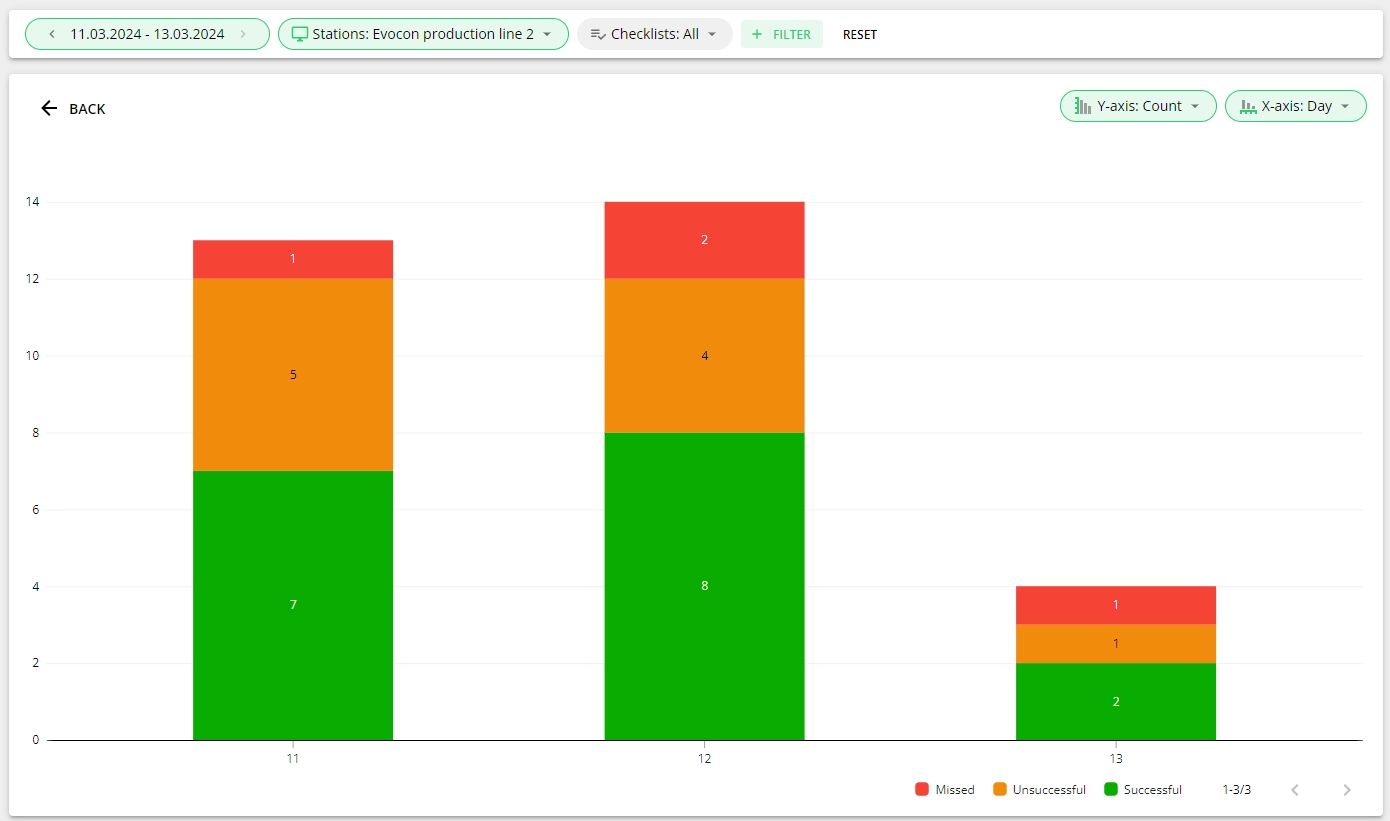
The chart visualizes the checklists' data per your selections in the filters and axis options. The chart could be per selected time period (per day in the image below), per checklists or groups, etc. It helps to get an overview and analyze whether checklists are being filled on stations, the proportions of successful and unsuccessful checks.
Note: The changes to checklists in Shift View might take a few minutes to appear in Reports.
What data is displayed in the Checklists data table?
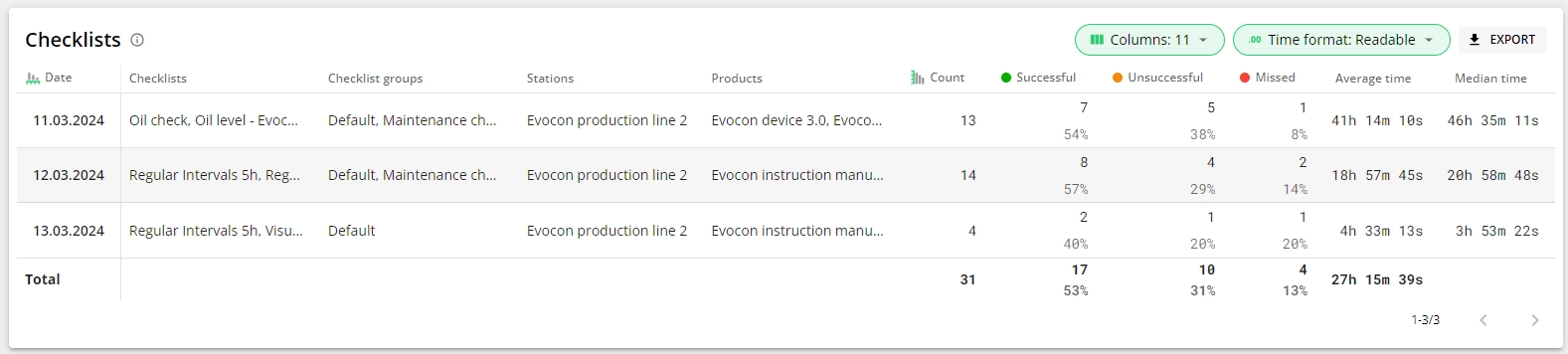
In addition to information about the checklist, its group, products, stations, etc, the data table gives you information about successful, unsuccessful, and missed checklists, their count, and proportions. Also the average and median time for the submission of filled checks - this allows you to conclude whether checklists are filled on time or with a delay (the example image below shows that checks were filled with a significant delay (day or more later).
In case a checklist appears on an earlier time, the due time is taken from the checklist pin's position on Shift View. For example, there is an uncommented stop at 09:00-09:30 and it is commented at 12:00, which triggers a downtime-related checklist CH1 for 09:00 that is filled at 12:03. This means that the due time was 09:00 and the submission time 12:03, meaning the time to fill the checklist was 3 hours and 3 minutes.
The date, time, and shift name shown in reports indicate when the checklist pin appeared on Shift view. This reflects the scheduled due time. The actual completion date and time can be found under the 'Done time' column in the downloadable report, or by hovering over the checklist pin on Shift View.
Note: Please find the description of the general reports' features here.