
Hardware and connectivity · Guide 15 of 15
Using Devices
How to use the Devices overview and device view in Settings to check the status of your Evocon devices and inputs.
The Devices feature can be used to get an overview of the status of your Evocon devices and inputs. It is accessible from the Settings module.

What does Devices overview show?
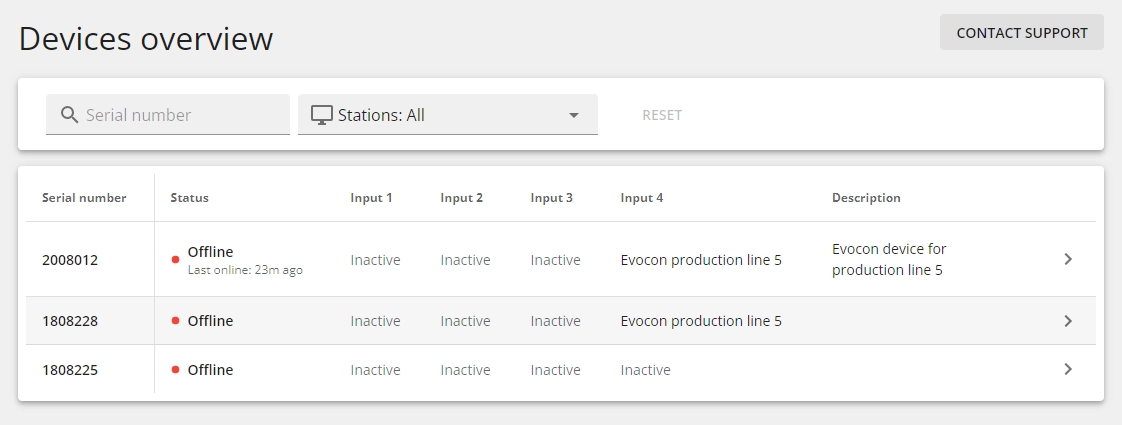
Overview shows:
- all your Evocon devices by serial number
- the status of the devices with the last online time if possible
- Inputs and the connected stations and the description (if added)
How to use Devices overview?
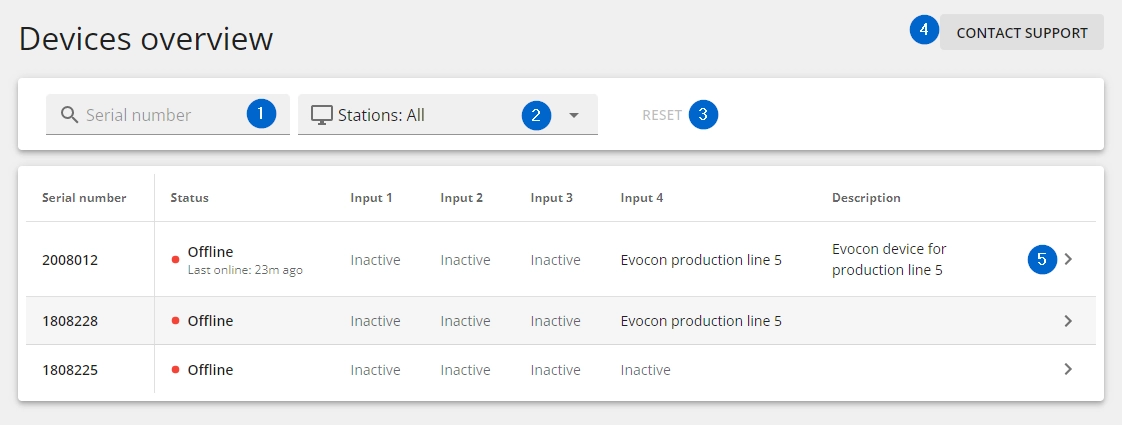
It is possible to:
- Search for a device by serial number
- Select stations by name, by station group or by factory (if applicable)
- Reset the station selection (default is that all stations are selected)
- Contact Evocon Support
- Click on the arrow (or anywhere on the row) to enter the view of the specific device
How to use device view?
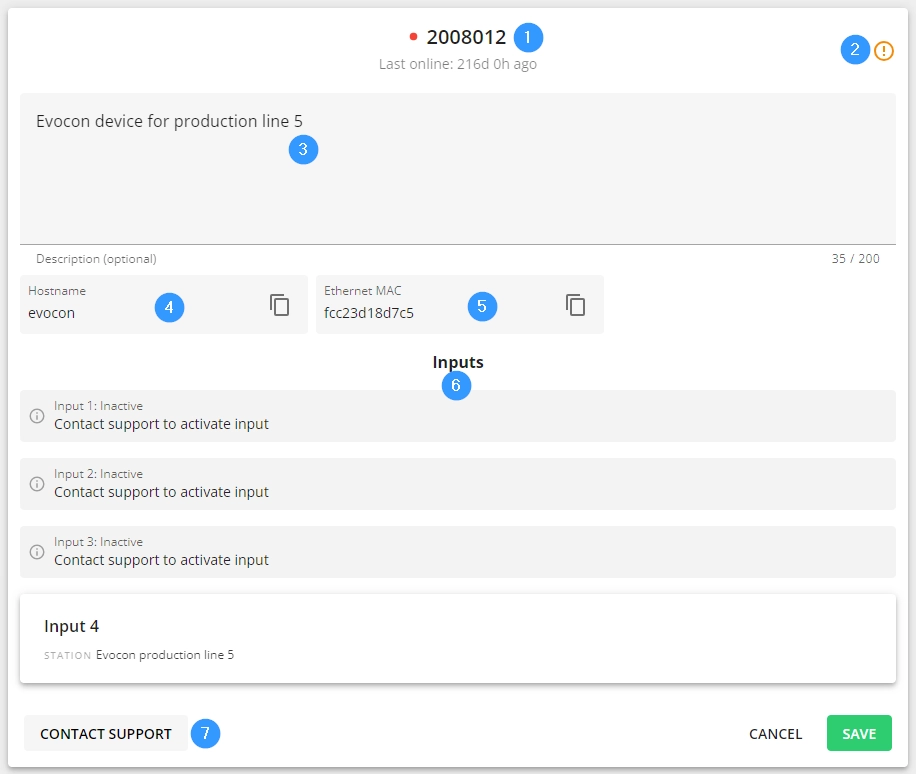
- Heading displays device serial number
- Button which takes you to the troubleshooting instructions