
Reports and analysis · Guide 10 of 28
Reports: Scrap
What the Scrap report chart and data table show, including % of produced, time lost and how % of planned time is calculated.
On this page
The Scrap report measures your quality by measuring scrap. You can keep track of scrap from different angles: by time (day, week, etc), reasons, reason groups, stations, station groups, operators or shifts.
Quality indicates the amount of products meeting the quality requirements (good products) out of all products produced. Since quality is a part of the OEE equation and scrap affects quality, scrap also affects OEE. Quality = good products / (good products + scrap)
Note: Please find the description of the general reports features here.
What does the Scrap chart show?
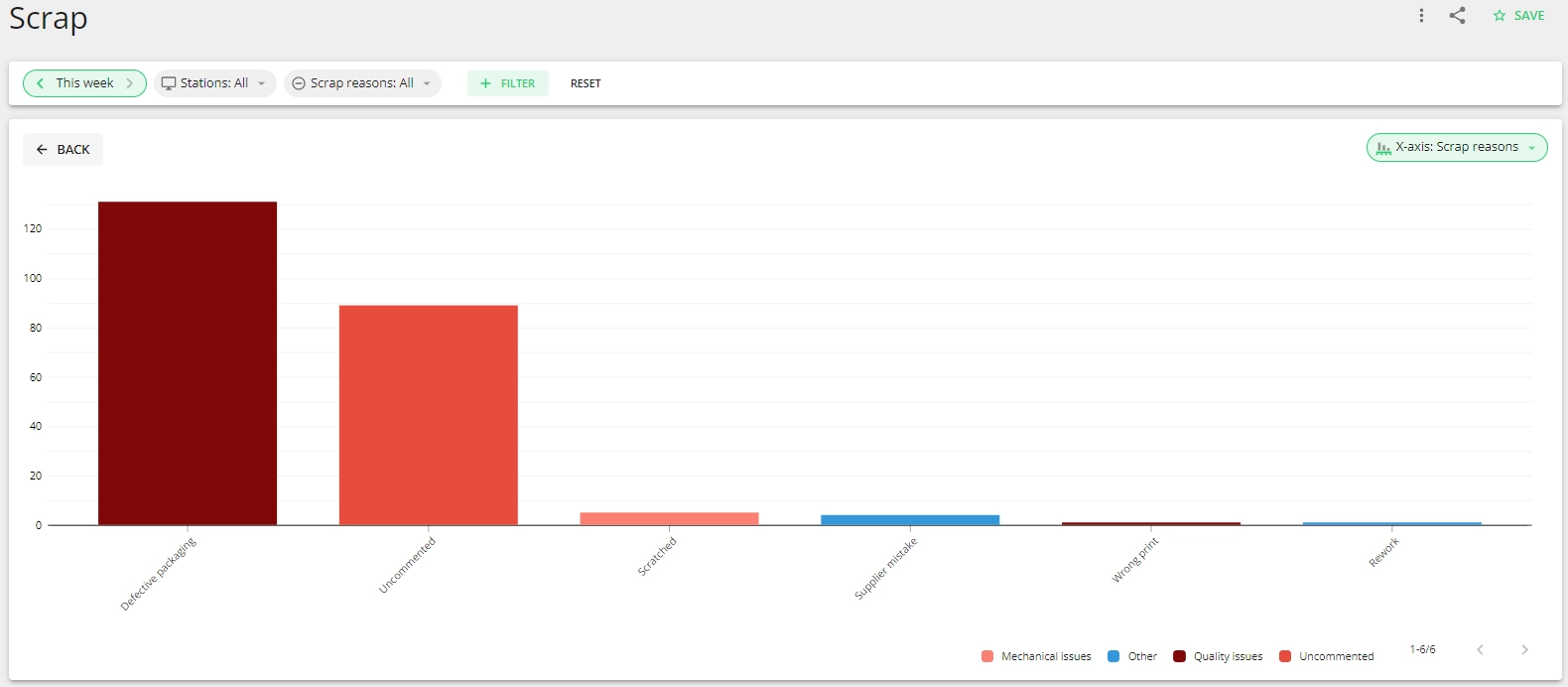
The chart displays how scrap has changed in time and helps you understand the main reasons for scrap. Through analyzing this information you can see what the main areas of concern are or whether the actions you have taken to reduce scrap have taken effect.
The reasons belonging to different groups are displayed in the group color in the chart.
What production data is displayed in the Scrap data table?
The data table in the Scrap report gives you information about the scrap quantity, % of scrap compared to total quantity (% of produced), time lost, planned time (total) and the % of planned time.
- For the following x-axis values we calculate the individual row's % of planned time based on the aggregated planned time of all rows in the data table. We then sum the values of all rows in the total row.
- Scrap reasons
- Scrap reason groups
- Locations
- For the rest of the x-axis values we calculate the % of planned time value based on the planned time of that row (e.g. station).
