
Process metrics and monitoring · Guide 2 of 4
Batch process monitoring
How batch process stations measure time-based production step by step, how to configure batch steps with target times and how changeovers work for batch steps.
On this page
Key characteristics
Time-based measurement Batch stations track process time (measured in minutes) rather than product quantities. This approach is ideal for chemical processes, food production, pharmaceutical manufacturing, and other industries where materials are processed in controlled batches.
Step-by-step process monitoring Each batch consists of multiple sequential steps, and Evocon monitors the OEE performance of individual process steps. This granular visibility helps identify bottlenecks and optimize specific phases of your batch production.
Output and usage Batch processes typically produce raw materials, intermediate products, or bulk quantities that serve as inputs for downstream operations like packaging, further processing, or assembly into finished goods.
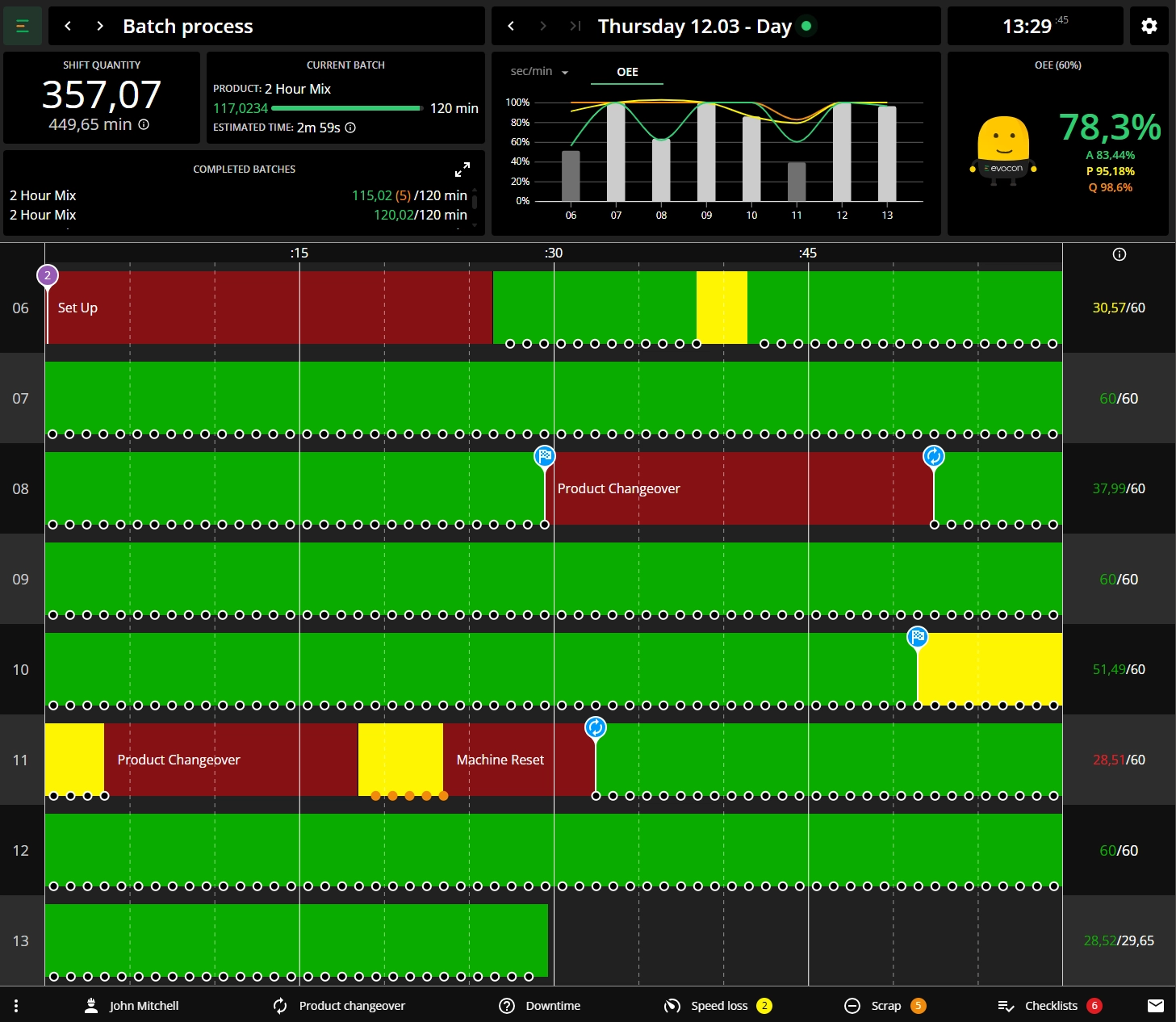
Batch completion logic When a process step reaches its target time (set during changeover), the step is considered complete. Any additional time spent on that step beyond the target is automatically classified as speed loss (indicated in yellow) until the next changeover initiates the subsequent step.
OEE calculation Unlike piece-based production where speed is measured by output rate, batch OEE calculates efficiency based on planned versus actual process times for each step, providing accurate performance insights for time-driven manufacturing operations.
How to set up a batch process station in Evocon?
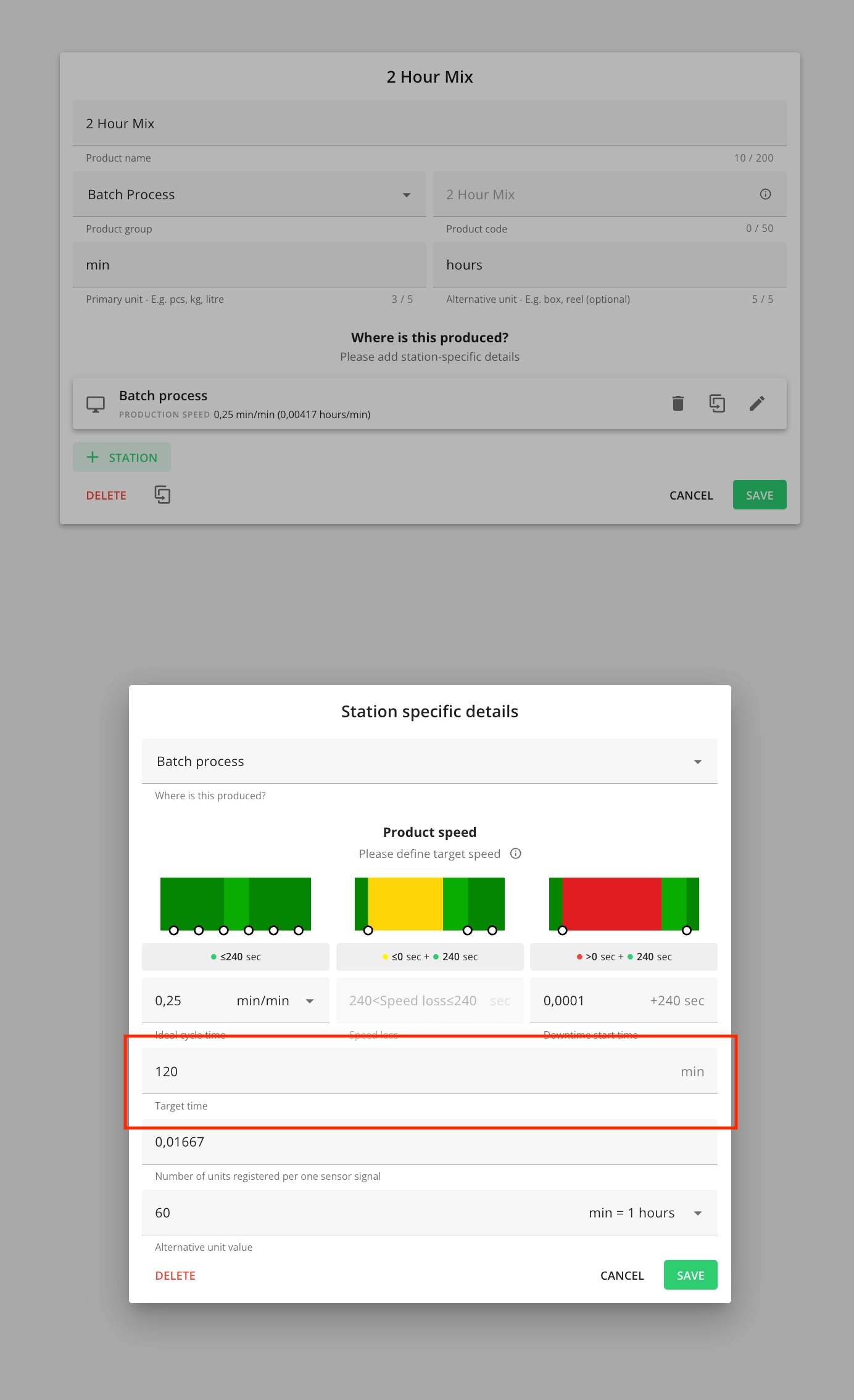
After the batch process feature has been enabled for a station, you configure the individual process steps under Settings → Products. While batch steps are configured in the same location as regular products, the setup process differs.
Configuration details
- Unit of measurement: Process steps are typically measured in minutes (rather than piece counts)
- Target time setting: Each step can have a predefined target time.
- Automatic population: When target times are configured in Settings, they automatically populate during changeovers in Shift View, eliminating the need for operators to enter them manually.
- Operator flexibility: Operators retain the ability to adjust target times during changeovers when process conditions require it.
Inserting a changeover for batch process step
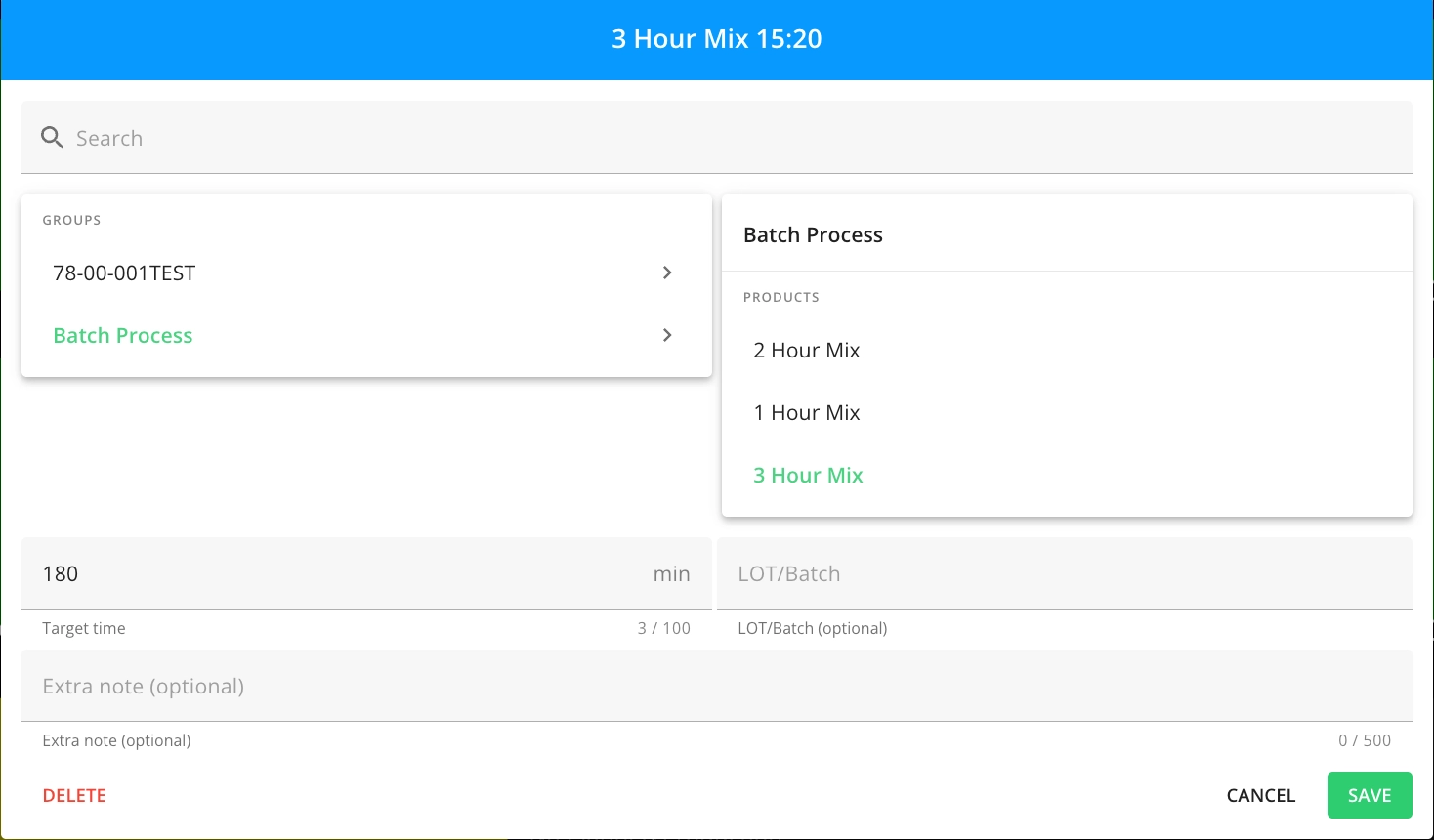
Inserting changeovers for batch steps follows the same workflow as standard product changeovers, with one key addition: you must define a "Target time" for the process step.
Target time behavior
- Pre-configured targets: If the target time were set in the step configuration (Settings → Products), this field is pre-filled during changeover creation.
- Manual adjustment: Operators can modify the target time if process conditions require adjustments.
- Target completion indicator: When the process step reaches its target time, Shift View displays a "target reached" indicator.
- Speed loss tracking: Any production time beyond the target is automatically classified as speed loss (shown in yellow) and the signal quantity is 0 until the next changeover (step) begins.
