
Process metrics and monitoring · Guide 4 of 4
Energy monitoring in Evocon
How energy data (kWh) can be combined with production data in Evocon: Shift View charts for operators, custom report exports, use cases and how kWh data is gathered.
On this page
Even though Evocon is mainly an OEE and production monitoring solution, we can support energy-related data monitoring together with production information.
How is energy information displayed in Evocon?
Our solutions address two different users – operators and analysts/managers.
Chart for operators in Shift View
In the first example, we display real-time information to operators so they can make better decisions on the shop floor and be mindful of energy use.
Below you can see how operators see energy-related information in Evocon. The middle part visualizes the production performance during the shift, while the graph in the top area displays kWh data (green line) together with output (pcs, orange line).
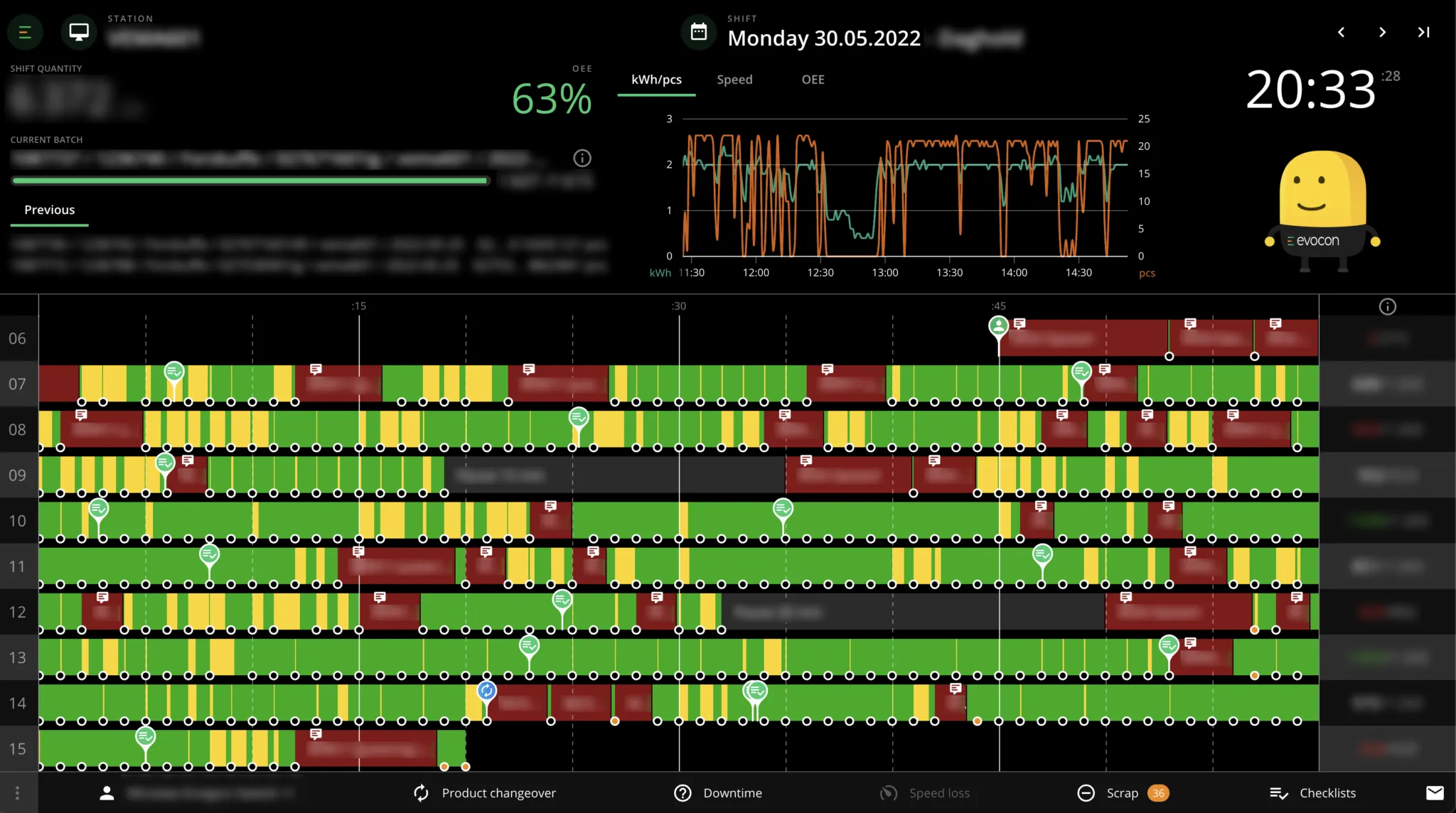
kWh together with output (pcs per minute)
Different ways the graph can be set up
The chart displayed above can be set up as needed by the client. So far, we have the following options:
- kWh/pcs – energy together with output
- kWh – only energy use (minute-by-minute)
- Total kWh – total kWh used during the shift
- kWh per x number of products
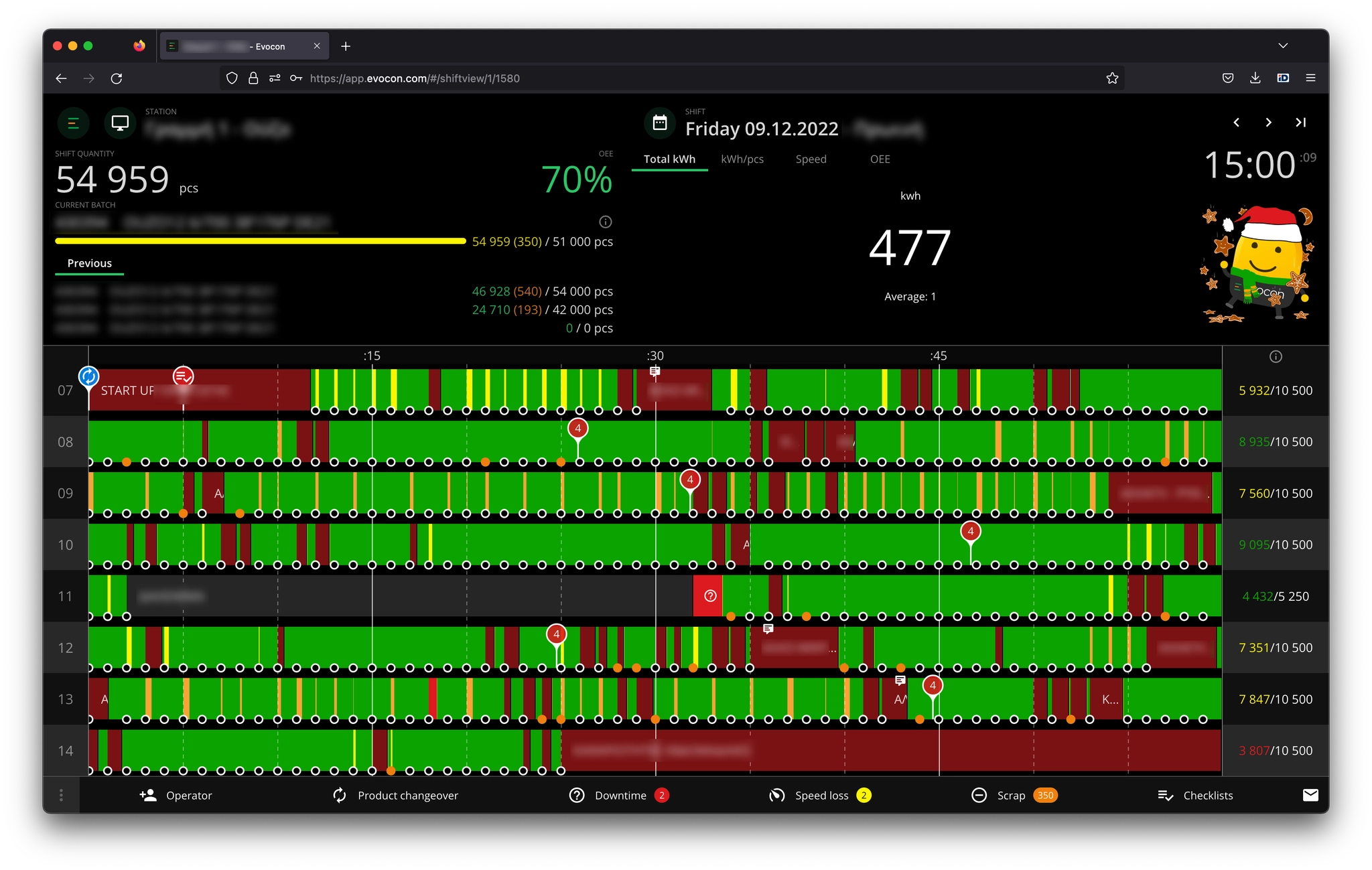
Total kWh used per shift
The main takeaway is that this chart is developed to be flexible so that we can customize it based on the need of the client.
Export as a custom report
For analytics we offer clients the option to connect the reporting API to Excel, PowerBi or another analysis tool. Together with the rest of the production and utility information, this data has potential to drive additional savings in addition to improved OEE.
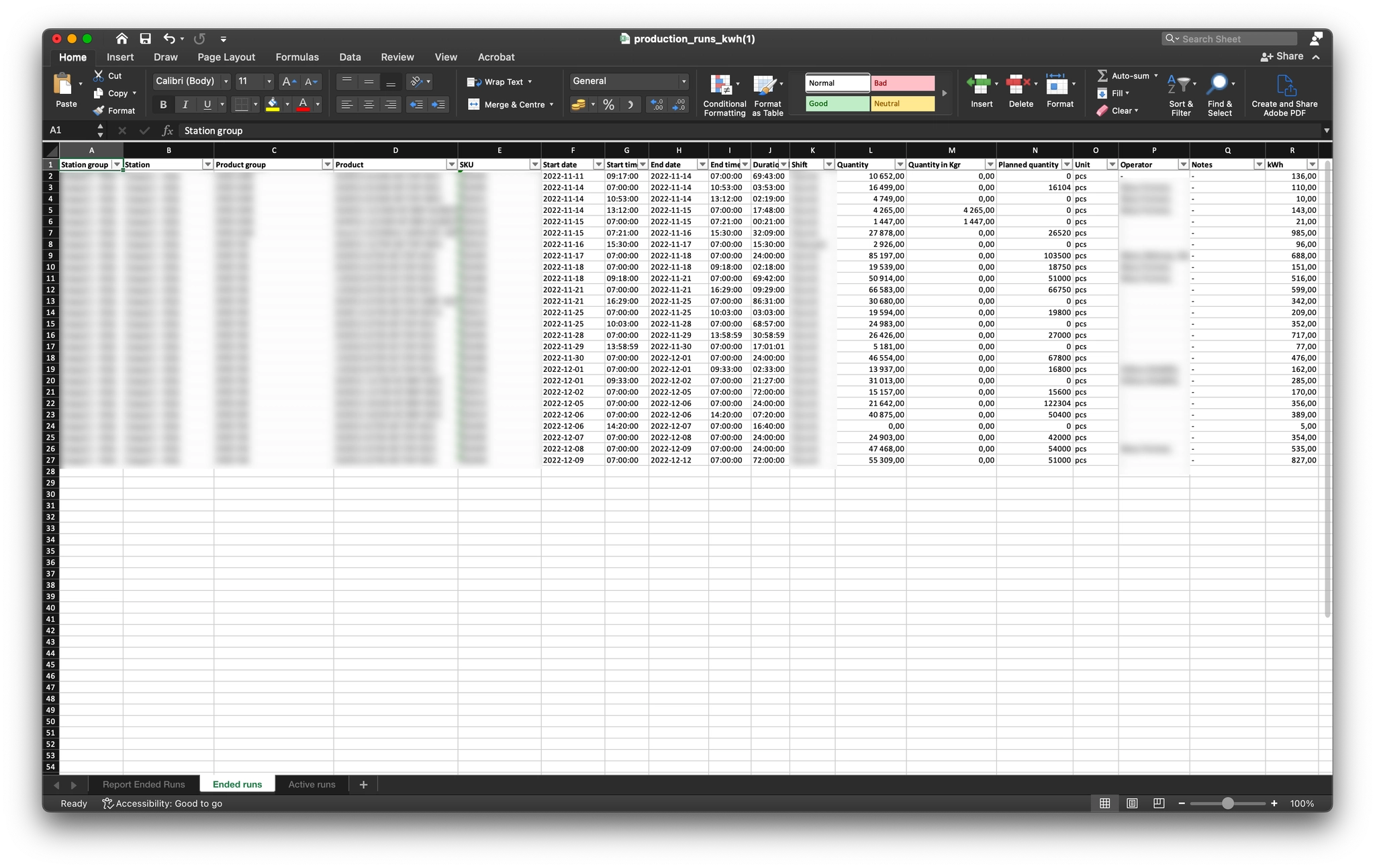
This export allows clients to analyze:
- total kWh used
- kWh used per product (or X number of products)
- kWh used per batch
And these are just some of the examples that export supports.
Generally, the data can be filtered based on any dimension available in Evocon (product, station, factory, shift, operator, etc.).
What are the use cases for clients?
The main use cases based on the clients who are using this functionality are:
- Improving current processes by optimizing energy use and reduction of waste
- At one client, each downtime reason that can be optimized will be targeted, so to reduce the time when energy is used (e.g. product setups), but there is no output.
- Another client is monitoring how much natural gas (in m3) they use in their furnaces and then use this information to optimize the process.
- Lowering the CO2 emitted per product
- For example, one of the largest soda manufacturers in the world is using this information as part of their corporate reporting. In addition to reporting, the reduction of CO2 is beneficial for tax purposes in the countries where Evocon is used.
- Achieving ISO50001 goals (more on that here)
- A Danish client is using Evocon to reach their set ISO50001 goals.
- ESG reporting
- Similar use case as the one above, the client is calculating kWh used per 1000 products as part of their environmental reporting.
How we gather kWh data
Evocon device has digital and analogue inputs. So far, we have been using outputs of existing energy meters that give a digital pulse per 0.1 or 1 kWh used. Technically, we can use the same solution for gathering gas meter or any other meter data.