Hardware and connectivity · Guide 4 of 15
Hardware - Evocon IIoT device 3 - How to connect a relay
Why and how to use a relay (preferably solid-state) between manufacturing equipment and the Evocon IIoT device 3, with the M12 pinout and a wiring diagram.
A relay is an electrically operated switch. It consists of a set of input terminals for a single or multiple control signals, and a set of operating contact terminals. The switch may have any number of contacts in multiple contact forms, such as make contacts, break contacts, or combinations thereof.
Relays can be used to create additional isolation between electrical circuits of Evocon devices and manufacturing equipment.
The traditional form of a relay uses an electromagnet to close or open the contacts, but other operating principles have been invented, such as in solid-state relays which use semiconductor properties for control without relying on moving parts. As the signals counted by Evocon devices can be fast and plentiful, we suggest using solid-state relays instead of electromagnetic relays.
Relays are also required if signals with different voltage levels from Evocon device input (24V DC) are used.
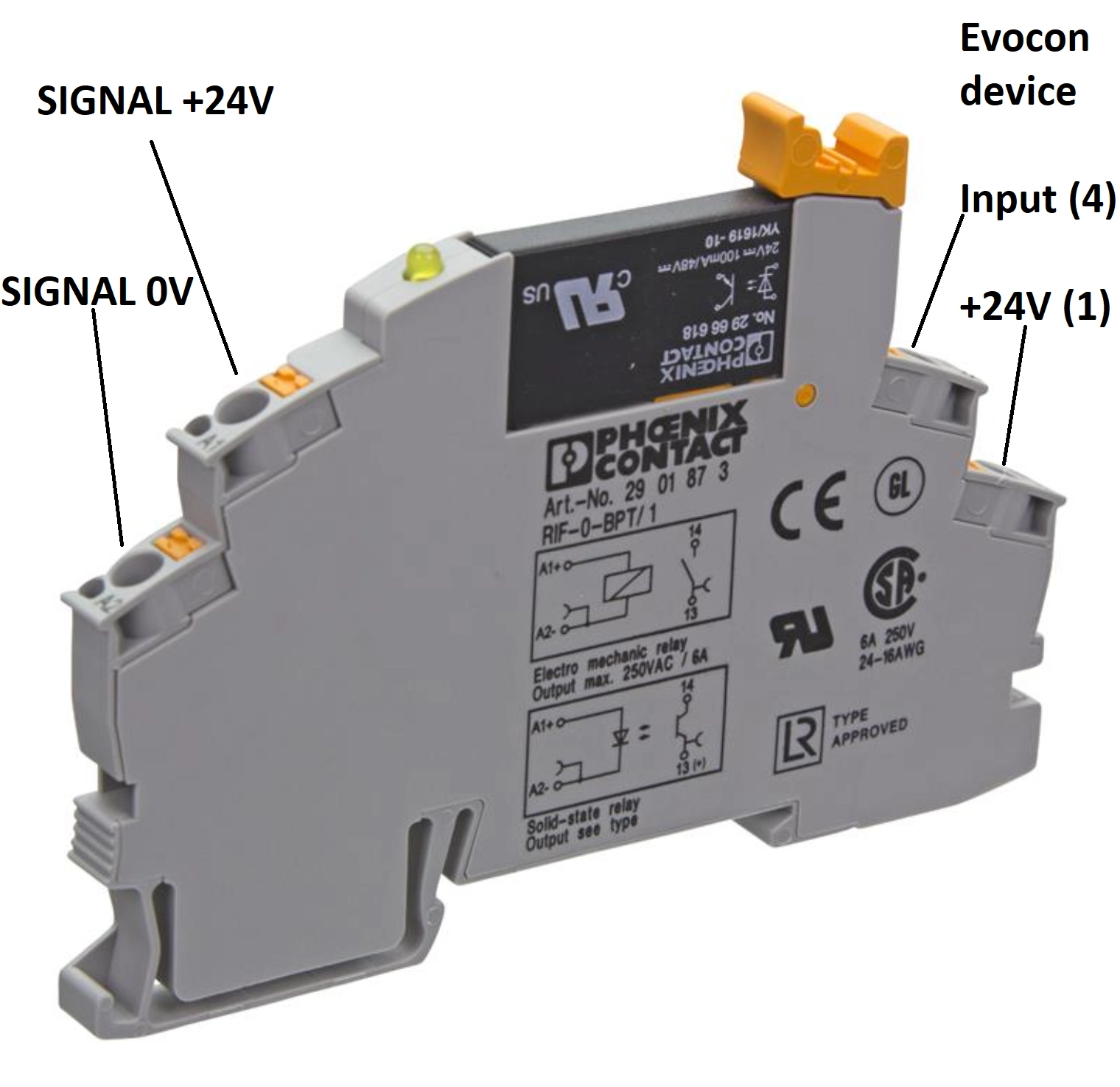
Example of a solid-state relay with A1 & A2 as input terminals and 13 & 14 as contact terminals. https://www.phoenixcontact.com/online/portal/us?uri=pxc-oc-itemdetail:pid=2905294
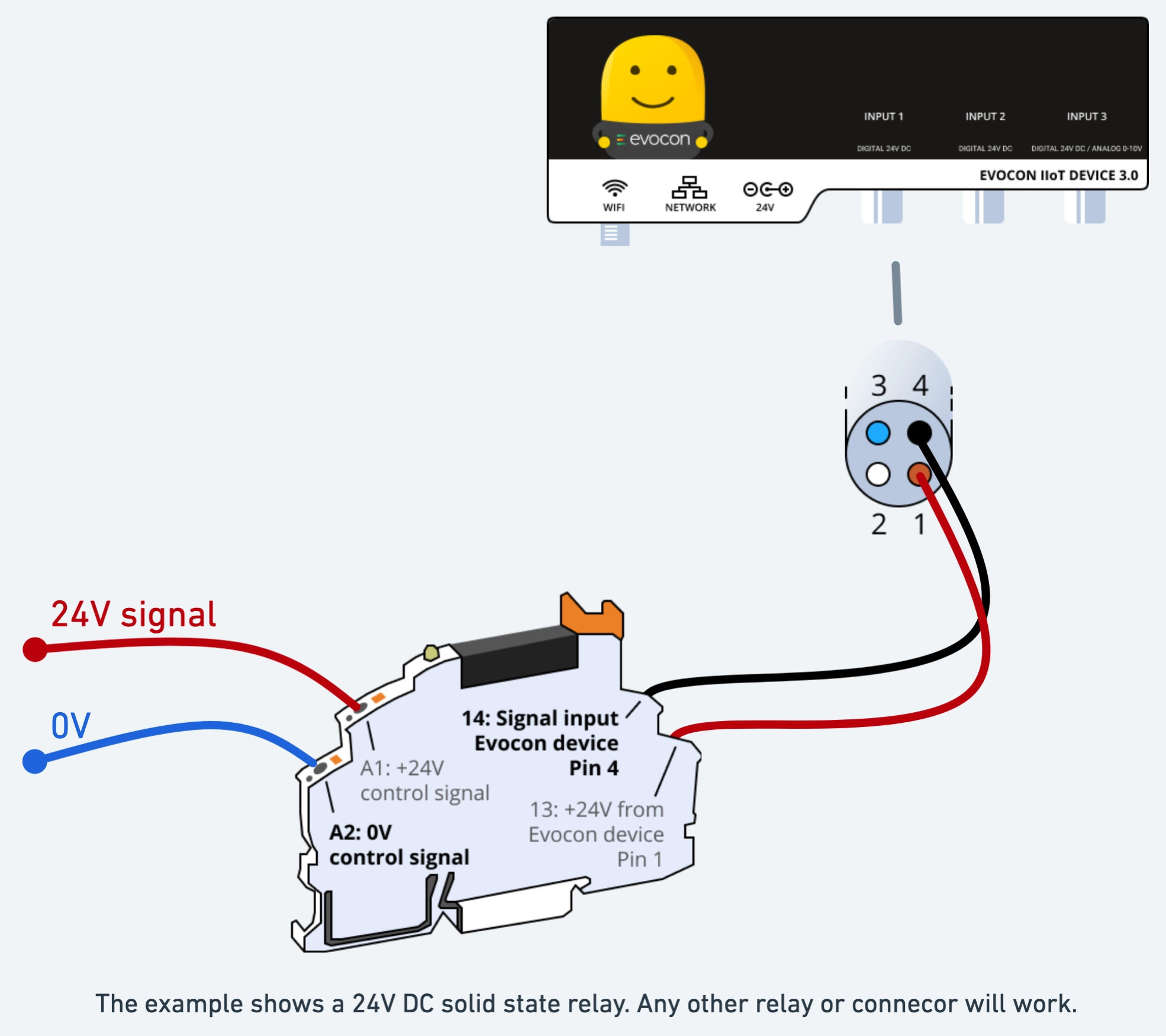
Below is a wiring diagram for connecting a relay to Evocon device.
All Evocon device inputs are 24V DC inputs. And the M12 connectors use standard wiring pinout. PNP-type 24VDC industrial sensors that can be connected to Evocon device.
| Pin number | Pin color | Pin electrical connection description |
|---|---|---|
| 1 | Brown | +24V of device power supply |
| 2 | White | Not connected |
| 3 | Blue | 0V (-) of device power supply. Or 0V (-) of the input circuit if the ground connection jumper is removed from inside the device. |
| 4 | Black | 24V (+) optically isolated input. Counts on falling edge (24V -> 0V) |