Hardware and connectivity · Guide 6 of 15
Hardware - Evocon IIoT device 3 - Signal connection drawings
Wiring drawings for the most common ways to connect signals to the Evocon IIoT device 3: sensor, PLC via relay, copied sensor signal, parallel signals and production/setup split.
Here are some of the most widely used solutions for connecting Evocon.
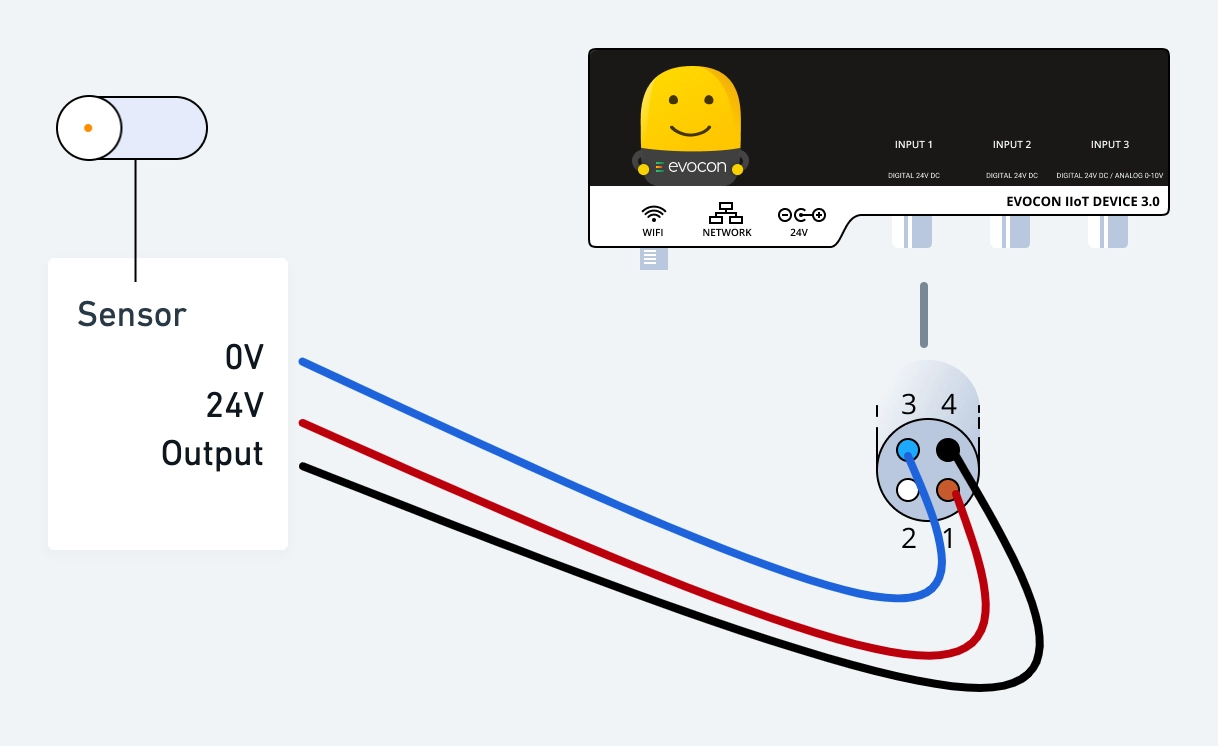
This is the basic connection of a sensor to Evocon device.
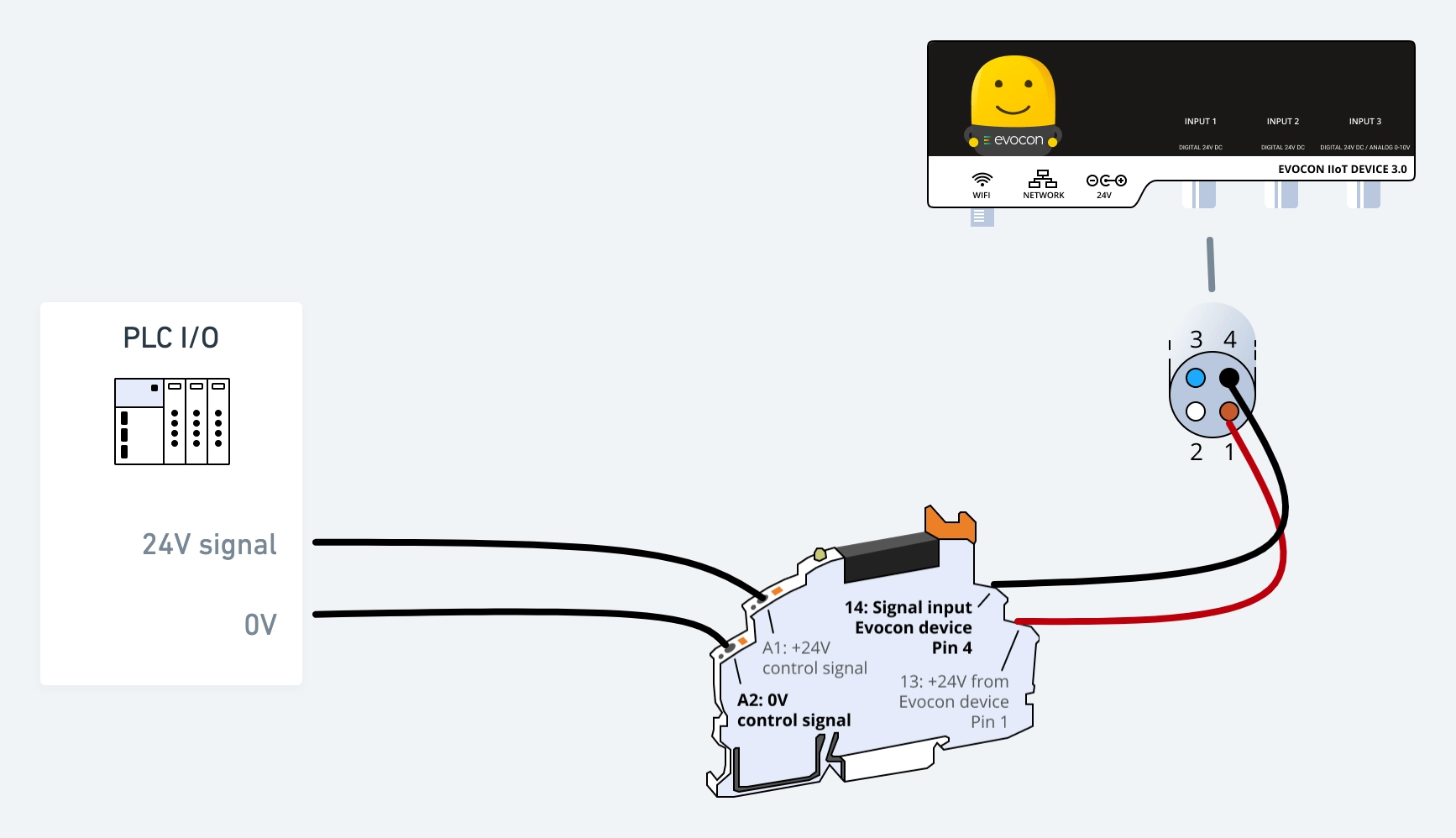
This is the basic connection of a PLC signal via a relay to Evocon device.
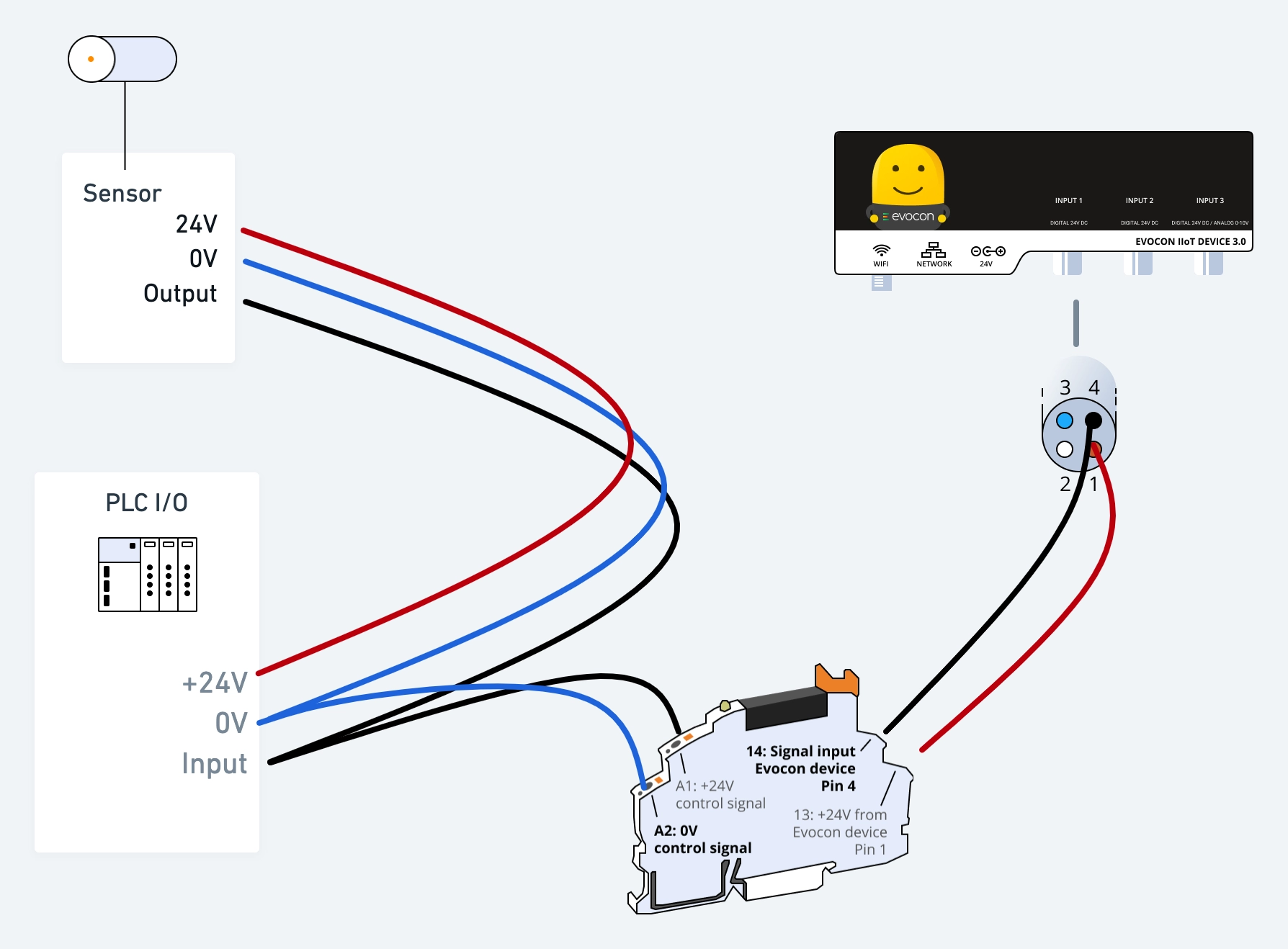
To copy an existing sensor signal, you may use a (solid state) relay as shown below.
This is an example for connecting multiple signals in parallel. If one of the signals is ON, the input of the Evocon device is active.
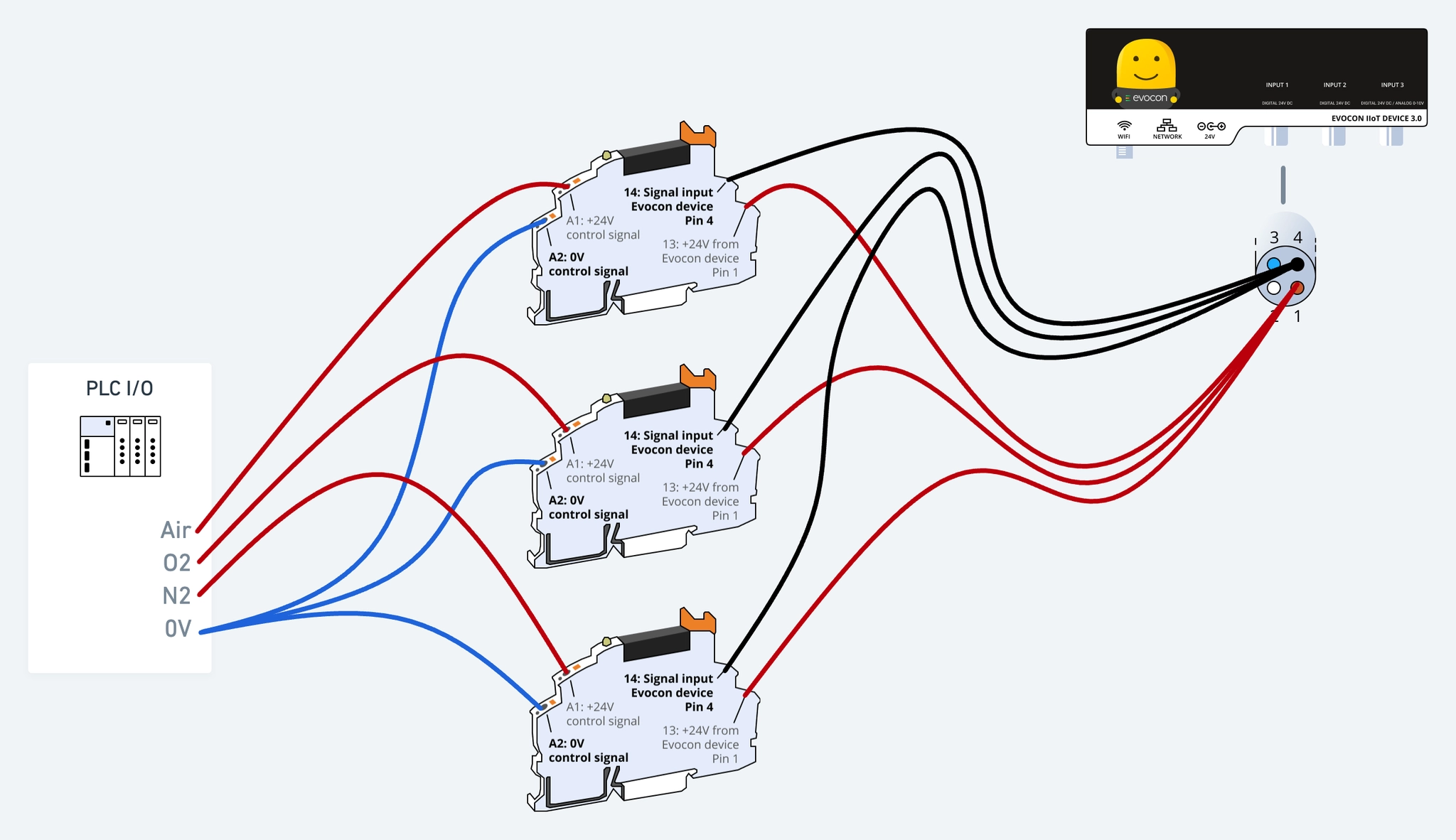
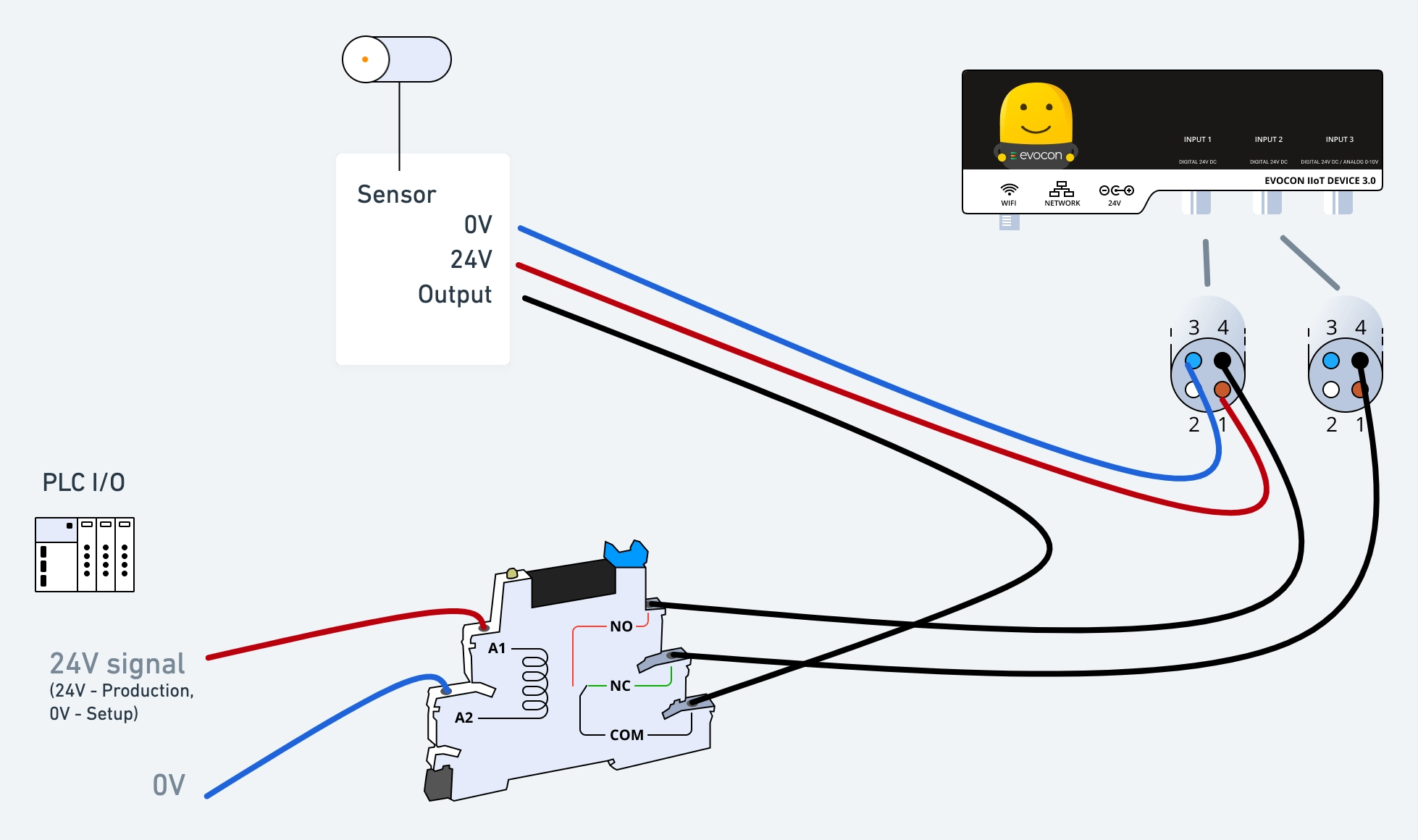
In some cases, you may want to use a control signal to only send signals to Evocon device input if the control signal is on. Or send production signals to one input where they are counted as good production. And signals detected during machine setup to a different input where they are counted as scrap.